
AgentBridge links Claude Code, Codex and Antigravity skills
AgentBridge, an MIT-licensed command-line tool posted on August 26, moves the custom skills of Claude Code, OpenAI Codex and Google Antigravity into one folder and links each agent’s own skills directory to it. It also merges MCP server definitions across the three agents and mirrors one AGENTS.md into each tool’s rules file. Everything below comes from the project’s README on GitHub. The part worth reading closely is where the tool links files and where it only copies them, because that decides what stays in sync without you doing anything.
The hub lives at ~/.agentbridge/skills. Running link-skills once moves the existing skills from ~/.claude/skills, ~/.codex/skills and ~/.gemini/config/skills into the hub without losing data, then replaces each of those directories with a link to it. The link is a POSIX symlink on macOS and Linux and an NTFS directory junction on Windows 10 and 11, and none of them need admin rights. Nothing runs in the background. Since there is only one copy on disk, you can edit a skill through any agent’s path and the others see the change right away. The trick depends on a skill being a self-contained folder with a SKILL.md and nothing else mixed in. Anthropic designed the format to be portable (“Skills use the same format everywhere,” the company says) and published Agent Skills as an open standard on December 18, 2025.
MCP servers can’t be handled this way, and the README explains why. A server definition is one entry inside a larger config file that also holds the agent’s own unrelated settings. Symlinking the whole file would carry Claude’s preferences into Codex’s config, so sync-mcp deep-merges the definitions and writes a separate copy into each agent’s config: JSON for Antigravity’s mcp_config.json and Claude’s claude_desktop_config.json, TOML for Codex’s config.toml. One more copy goes to ~/.agentbridge/mcp_servers.json, which serves as the merge source. The cost is that MCP servers only match at the moment you run sync-mcp (or when link-skills or doctor --fix re-syncs an agent). If you edit one agent’s definition by hand, the other two won’t know until the next sync.
Conflicts are resolved field by field, and not in your favour by default. If two agents define a server with the same name but a different command, different args, or a different value for the same env key, the agent processed later “silently wins” on the fields that actually clash. An env key that only one side has is not a conflict, and both survive the merge. sync-mcp prints a warning naming the server, the fields and the agents involved, and doctor keeps reporting it as “MCP Server Conflicts” between syncs. Neither command fixes it for you, because, in the README’s words, “only you know which agent’s definition should actually win.” The suggested fix is to correct the losing agent’s config and run sync-mcp again, or to edit the merged result exported with --output.
Secrets get a narrow safeguard. Before writing any config, sync-mcp compares each env value against your current OS environment variables. When a value exactly matches one, such as GITHUB_PERSONAL_ACCESS_TOKEN, the config gets ${GITHUB_PERSONAL_ACCESS_TOKEN} in place of the literal token. So to keep tokens out of configs, export the variable in your shell profile (on Windows, set it as a user variable) and run sync-mcp again. Every agent config that still holds the literal value is then rewritten. doctor flags any plain-text secret it finds but never sets an environment variable itself.
Project rules go in one direction. sync-rules treats AGENTS.md as the source of truth and copies or symlinks it to CLAUDE.md, GEMINI.md, CODEX.md, .cursorrules and .github/copilot-instructions.md. Running several tools on one repo is how teams end up in what Tobi Lutke called “split brain problems” when Claude Code reads only CLAUDE.md. Cursor and Copilot get only the rules file. AgentBridge doesn’t manage their skills or MCP servers. One Windows caveat: --mode symlink needs Developer Mode or an elevated shell to create a real file symlink. Without either, the tool falls back to a hardlink, which goes stale if an editor’s “atomic save” deletes AGENTS.md and writes a new file. The CLI output tells you which one you got: “Symlinked to source” or “Hardlinked to source”.
Trying it out costs little. You need Node.js 18.0.0 or later, and everything runs through npx with no install:
npx @helter/agentbridge statuslists the agents it detects, skill and MCP server counts, and hub link status, and writes nothing. Add--jsonfor machine-readable output.link-skills --dry-runandsync-mcp --dry-runpreview the changes before anything touches disk.pick(aliasimport) lets you choose which skills and MCP servers to bring in, rather than taking all of them.add-skill <name>creates a new skill directly in the hub from a SKILL.md template with YAML frontmatter.watchmonitors the hub and the workspace AGENTS.md and re-syncs the rules files when they change.
Each write path takes a backup first, unless you pass --no-backup. Snapshots go to ~/.agentbridge/backups/, and rollback --list plus a snapshot ID restores one. link-skills keeps its own pre-link backup, separate from that mechanism. If linking fails partway through several agents, the error names the agent that failed and the ones already merged into the hub, and suggests running doctor before you retry. unlink removes the links and copies hub skills back into each agent’s own folder, or skips the copy with --no-restore. The same operations are available as a TypeScript SDK: detectInstalledAgents, linkAgentsToHub, syncMcpConfigs, syncProjectRules and runDiagnostics.
For CI, doctor is the command to wire in. Without --fix, any warning or error exits with code 1, and broken links, exposed secrets and skill-name collisions all count as warnings. That means agentbridge doctor && deploy stops before a real problem ships. With --fix, the exit code instead reflects the repair pass and is 0 once the repairs have run.
Up next
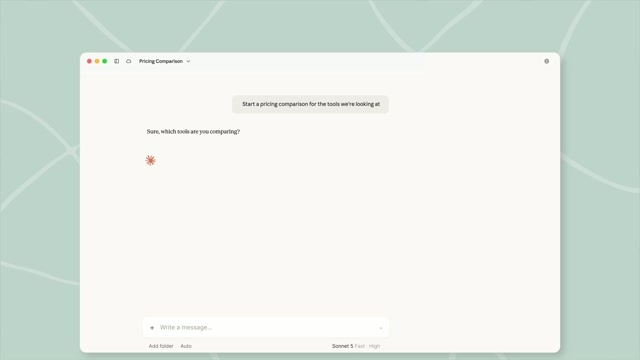
Built-in browser reaches Cowork on Pro, Max and Team, Video
Anthropic’s Cowork browser lands on Linux in beta alongside macOS and Windows, rolling out over the coming week to Pro, Max, and Team plans in the Claude desktop app.
Related stories
- Stemma compiles agent rules into CLAUDE.md and AGENTS.md
- Context Engineering Kit adds judge agents to Claude Code
- Show HN: Generate a Claude Code or Codex agent fleet from one HTML file
- In Claude Code, one CLAUDE.md silently kills your AGENTS.md
- Claude Code 2.1.259 hands MCP servers to the whole org
- Shopify’s CEO floats banning Claude Code over AGENTS.md
Comments
No comments yet. Be the first.
Join the conversation
Sign in to leave a comment. It appears after moderation.