
Claude Desktop picks up an Ollama gateway toggle

Ollama can now act as a third-party gateway for Claude Desktop, so the app can run open models on your own machine or on Ollama’s cloud. The setup happens on Ollama’s side. In an August 26 post, Ollama lists three steps: open Ollama, select Claude, turn Claude on. Ollama then configures the gateway itself.
Once connected, you can pick any model in Ollama, local or cloud. Ollama suggests its cloud models for larger coding and research tasks, and local ones for running directly on your computer. To use a local model, set it on Ollama’s Settings page. Anthropic models are still available: the toggle inside Ollama switches between them and Ollama’s models.
Until now, the Ollama route was a manual job for Claude Code. Ollama 0.14.0, announced on January 16, added support for the Anthropic Messages API, the request format Claude clients use, and Claude Code could then be pointed at a local Ollama server through two environment variables: ANTHROPIC_BASE_URL=http://localhost:11434 and ANTHROPIC_AUTH_TOKEN=ollama. For the Desktop app, a switch in Ollama does the setup.
On data handling, Ollama answers “No.” to whether prompts or data are sent to Anthropic or Ollama. Telemetry is disabled by default, and Ollama says it applies a Zero Data Retention policy “across all of our models and services whether you access them through our cloud or on your local machine.”
Undoing it takes the same switch. Turn Claude off in Ollama, and Claude Desktop goes back to the setup it had before.
Up next
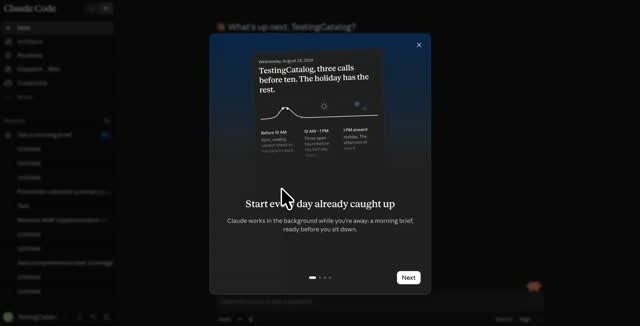
Morning Brief turns up in Claude’s Cowork mode, Video
A Morning Brief has started appearing in Claude for some users, per Crypto Briefing. It runs as a scheduled task inside Cowork and walks you through picking Connectors, a mode that launched first on the Max plan.
Related stories
- Hugging Face sends language model calls via OpenRouter
- Claude Code on desktop folds an iPhone Duo to test layouts
- Cursor hosts and deploys apps its cloud agents build
- AI Studio now builds Google Maps apps, 100 free calls a day
- Claude Code 2.1.318: login expiry warning, runner log change
- Claude threads shrink long requests from 800 KB to 1.8 KB
Comments
No comments yet. Be the first.
Join the conversation
Sign in to leave a comment. It appears after moderation.