
One-click GitHub import lands in AI Studio Build
Google AI Studio Build now accepts an existing codebase. Since July 8, 2026, a developer can import a GitHub repository with one click, keep working on it as a Build app, and have the repo and the app stay in sync in both directions.
Google announced the feature through its official AI Studio channels, including a post on Threads, and product lead Logan Kilpatrick highlighted it at launch. Reports on July 20 and August 19 describe both the import and the two-way sync as live.
Until now the link between Build and GitHub ran only one way: finished work could be exported to a repository, but nothing could come back in, The Cryptonomist reported. Users had been asking about this. A Google AI Developers Forum thread titled “Is there a way to start an AI studio project based on GitHub repo?” was active on June 18. The export side had problems too. On June 12, a forum user posted ZiptoGit, a third-party tool that pushes AI Studio ZIP exports to a chosen repository. In that post, the user wrote that developers using the built-in push sometimes ran into connection issues, failed pushes, authentication errors and other sync problems.
The Cryptonomist also describes how an import works. Imported code is automatically normalized to fit Google’s runtime infrastructure. From there, the developer can refine the project with Gemini-powered chat and code annotations, then deploy to Cloud Run. Imported code also goes through the agent Google rebuilt on March 18 on its Antigravity coding agent. Google says that agent keeps track of the whole project structure and chat history, and it supports React, Angular and Next.js apps.
Once a repository is connected, the sync runs on its own in both directions, the outlet reports. Changes made inside AI Studio Build go out to GitHub automatically, and commits pushed to the repo show up in the Studio.
Up next
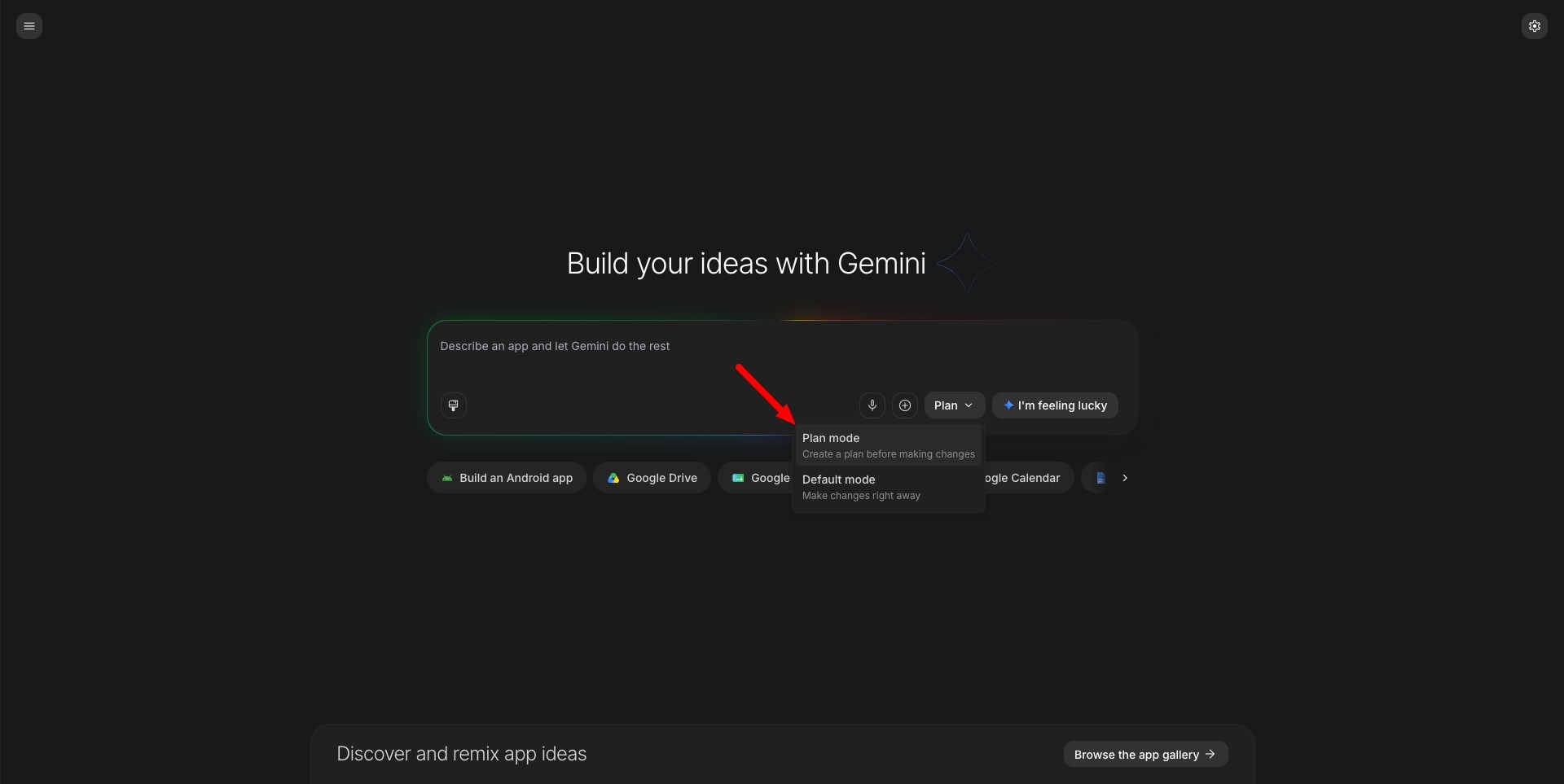
Plan mode spotted in AI Studio’s Build section
An unconfirmed sighting puts a Plan mode inside Google AI Studio’s Build section, prompting the agent to create a plan before making changes. Google’s own docs describe Plan mode only in Gemini CLI, as a read-only mode.
Related stories
- AI Studio now builds Google Maps apps, 100 free calls a day
- Google Play now runs vibe-coded apps without a dev account
- Alt + Space calls up Gemini on Windows
- Six countries get Gemini Tasks free, the EU doesn’t
- Claude Code on desktop folds an iPhone Duo to test layouts
- Hugging Face sends language model calls via OpenRouter
Comments
No comments yet. Be the first.
Join the conversation
Sign in to leave a comment. It appears after moderation.