
Claude Code 2.1.302 adds an off switch for idle compaction
Anthropic on October 16 gave Claude Code users an off switch for idle compaction. According to the GitHub release notes, version 2.1.302 adds an Idle compaction row to /config, and the notices shown after an idle compaction now say how to turn it off. The row appears only in sessions where Anthropic’s server flag has turned the feature on. At its default 200,000-token minimum, idle compaction never fires on a model with a 200K context window, because that model auto-compacts before the conversation reaches the minimum.
The release also undoes a default: claude -p and Agent SDK sessions with no permission mode set now start in default mode on third-party providers, with telemetry off or on a fresh install. --permission-mode auto keeps auto.
Three ways to turn it off
Idle compaction targets a conversation of 200K tokens or more that has been left idle for about 54 minutes. Claude Code compacts it before its one-hour prompt cache expires, so the next message doesn’t reprocess the whole history. In the 2.1.302 binary we found that the 54 minutes is 0.9 of that hour, and the server flag can set that fraction anywhere between 0.5 and 0.95.
Besides the new row, "idleCompaction": false in settings.json still turns the feature off, and CLAUDE_CODE_IDLE_COMPACT_MIN_TOKENS changes the 200K-token minimum. Both need v2.1.290 or later. Anthropic’s settings docs say that on an earlier version, which ignores the key, you stop idle compaction by turning off autoCompactEnabled. In the binary, the notice “Compacted while idle, before the prompt cache expired” now ends with a pointer to that settings.json key.
Per the same docs, a conversation on a 200K context window auto-compacts before it reaches 200,000 tokens, so at the default it never qualifies for idle compaction. The docs’ own example lowers the threshold to 150,000 so that such conversations do. We found a floor of 100,000 in 2.1.302: any lower value is raised to it.
Whether idle compaction runs at all is decided on Anthropic’s side. We found 2.1.302 reading a server flag with three modes (log, compact and compact_on_return) and treating the feature as off when the flag is absent. The docs tie the /config row to the same condition. The compact_on_return mode has its own notice: “Compacted after an hour idle, using a summary written while you were away”.
Headless runs and subagents
Version 2.1.285, released September 29, had made claude -p and Python Agent SDK sessions on third-party providers or with telemetry off start in auto mode when no permission mode was configured. Version 2.1.302 sends those sessions back to default mode and adds fresh installs to the list. A pipeline on a third-party provider that has been running in auto since then without asking for it will start in default mode after the update unless it passes --permission-mode auto.
Fork subagents (subagent_type: "fork") are now on by default in claude -p, the Agent SDK, the desktop app and VS Code, as they already were in the terminal. CLAUDE_CODE_FORK_SUBAGENT=0 turns them off, and claude mcp serve never offers them. The desktop app and VS Code no longer let Claude decide where subagents run: the main conversation’s subagents always run in the background, while a subagent’s own Agent calls in those clients, claude -p and the SDK run in the foreground by default. Prompt and agent hooks are now capped at 12 running at once per event, and the rest wait their turn.
Auto mode’s classifier
CLAUDE_CODE_AUTO_MODE_MODEL picks the model the client-side auto mode classifier uses. It does not change the model for server-side auto mode. On the server side, a conversation too long for the safety check is now compacted, where before every checked tool call was denied. Version 2.1.288 made the same change for the client-side classifier on October 2.
If you audit those decisions through OpenTelemetry, tool_decision events now carry classifier_category, which most auto mode classifier blocks were missing. New attributes also stop pushing out tool_use_id, tool_source and tool_parameters when OTEL_LOGRECORD_ATTRIBUTE_COUNT_LIMIT is low. Version 2.1.301, a day earlier, had added classifier_verdict and permission_mode to the same events.
Smaller fixes
- The Read tool now refuses image sources over 128 MB. Before, it loaded an image file of any size, or a pipe or device named like an image, entirely into memory.
- Switching to Vertex or Bedrock mid-session no longer breaks requests with “diagnostics: Extra inputs are not permitted”.
- A tool added mid-session no longer causes a prompt cache miss when it is loaded again through ToolSearch or after compaction.
- Prompt suggestions are now skipped after a reply billed to usage credits, so they stop spending credits on models your plan pays for only with credits.
- MCP servers that negotiate protocol version 2026-07-28 but omit resultType, ttlMs or cacheScope show their tools and accept calls again.
- On Windows, every file write in a project on an exFAT or FAT32 drive was refused or asked about, including in sessions started with
--plugin-dir. That is fixed. - Startup with many plugins enabled takes far fewer file system calls, most of all on Windows.
/design-sync and /design-login now warn that standalone Claude Design at claude.ai/design closes by December 14, and the notice adds that Claude Design “now lives in Claude”. The full notes also cover a long run of Claude Tag fixes for Slack and its admin settings, plus changes to cloud sessions.
Our analysis
What we checked
On October 18 we searched the 2.1.289, 2.1.290, 2.1.299 and 2.1.302 binaries for the strings behind these changes and compared them with the GitHub release notes and Anthropic’s settings docs. We also had the 2.1.302 Read tool open a 200 MB sparse image file through claude -p.
Idle compaction is older than the release that announced it. Its notice text is already in a build published October 3, and its settings key and environment variable arrived two days later. We had dated the feature to the October 14 release, which only announced it. The other result that changes how to use this update concerns the classifier variable: it takes effect only where Anthropic’s server has not already chosen a classifier model.
- 2.1.289 has the “Compacted while idle” notice but neither the
idleCompactionkey norCLAUDE_CODE_IDLE_COMPACT_MIN_TOKENS. Both are in 2.1.290. - When a server configuration names a classifier model, 2.1.302 logs a warning and ignores
CLAUDE_CODE_AUTO_MODE_MODEL. A value it doesn’t accept falls back to the default classifier model. The variable’s name was already declared in 2.1.289 and 2.1.299, but the priority logic is in 2.1.302. - The 200 MB file was refused with “File is too large to read as an image (the limit is 128MB)”, followed by “If it is an image, resize it or export a smaller copy, then read that.” A first run that also included a named pipe hit our 240-second timeout, so that test was inconclusive about pipes.
- Since 2.1.299, the binary has gained variables that have no line in the release notes, among them
CLAUDE_CODE_MESSAGES_PROMPT_CACHE_TTL(it accepts5m) andCLAUDE_CODE_ALLOW_OTHER_MODELS. We have not verified what they do. - The env-vars docs page still says
CLAUDE_CODE_FORK_SUBAGENTis on by default only in interactive sessions and has to be set to 1 forclaude -pand the Agent SDK.CLAUDE_CODE_AUTO_MODE_MODELis missing from all three docs pages we checked.
Up next
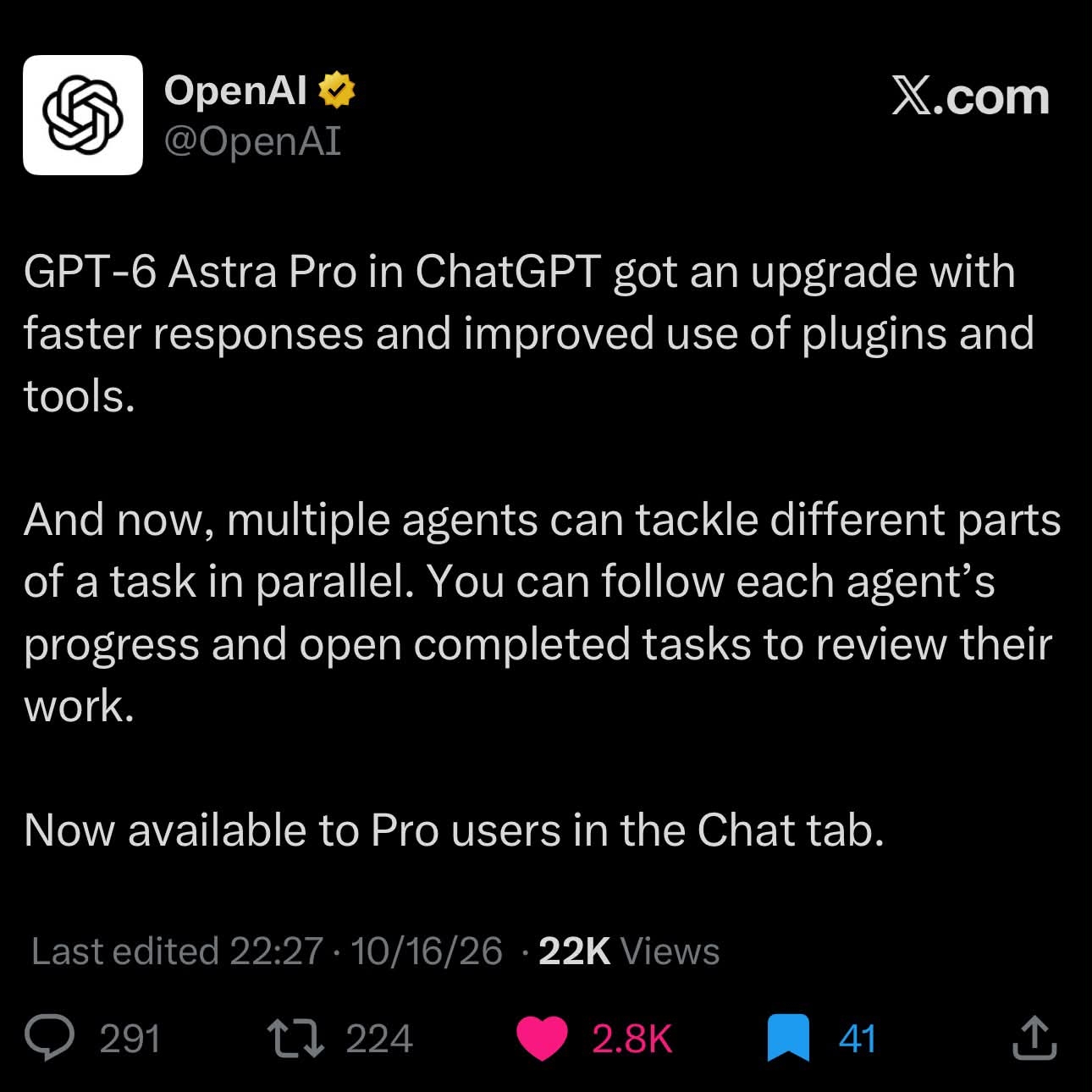
GPT-6 Astra Pro splits one task among parallel agents
In ChatGPT’s Chat tab, GPT-6 Astra Pro can split one task among several agents working in parallel, and you open each finished piece to review it, though only Pro users get it. With long agent tasks, do you review every step or only the final result?
Related stories
- Claude Code 2.1.304 warns before a resume eats your limit
- Claude Code 2.1.301 stops waiting out distant usage limits
- Claude Code 2.1.299 compacts idle chats before cache expiry
- Claude Code stops wiping .env files
- Claude Code on desktop folds an iPhone Duo to test layouts
- Claude Code 2.1.326 runs Code Mode with agent teams on
Comments
No comments yet. Be the first.
Join the conversation
Sign in to leave a comment. It appears after moderation.