
CLI sessions carry over to Claude Code desktop with /resume
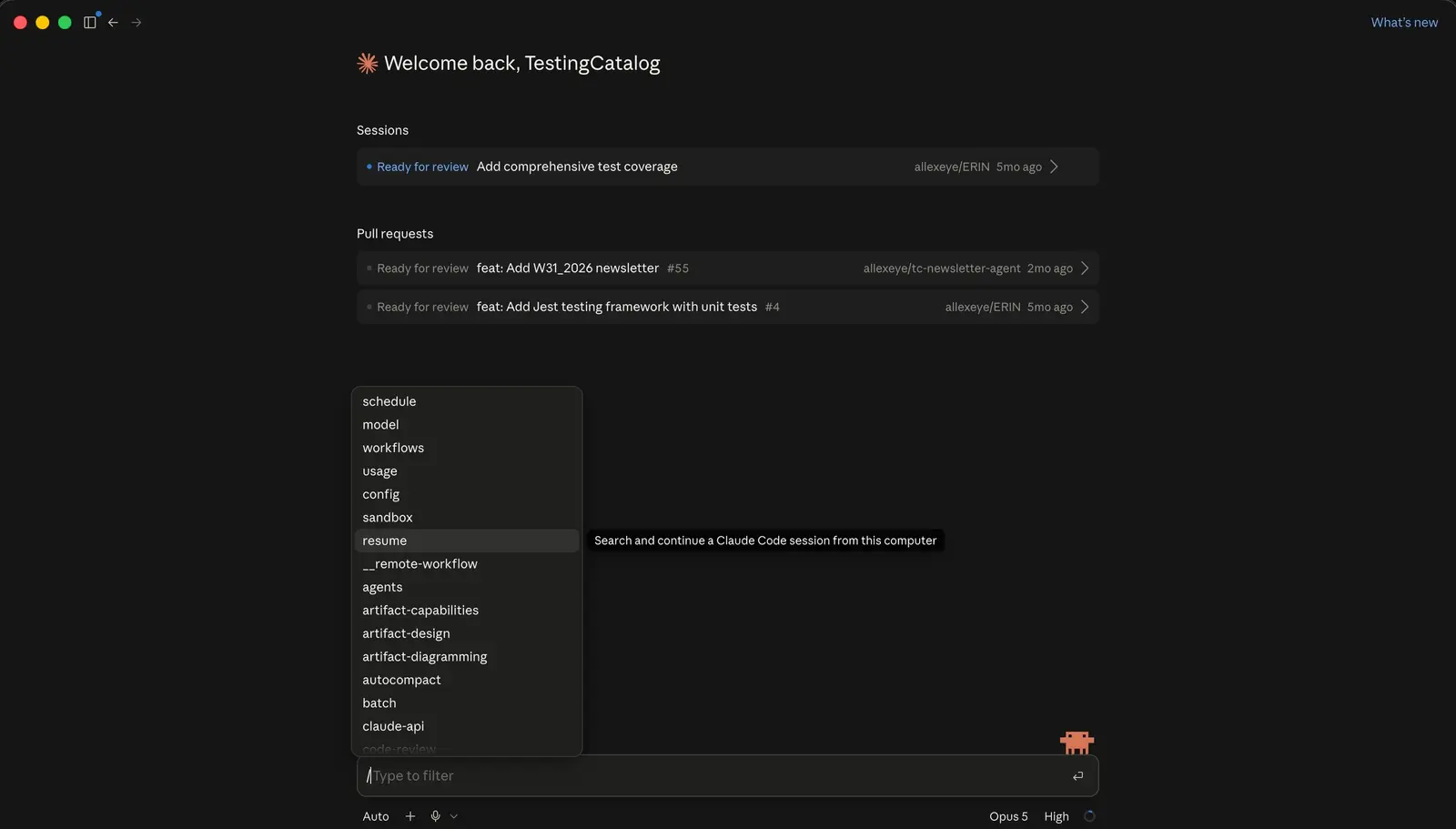
Claude Code desktop now has a /resume command that reopens sessions started in the CLI, so a run that began in the terminal can continue inside the app. A post on Threads reported the change on August 28.
The terminal has had this for a while. Anthropic’s documentation lists three ways to get back to an earlier CLI session: claude --resume, claude --continue and /resume from inside a running session. The desktop app is only now catching up. The handoff also works the other way: running /desktop in the CLI brings the current session into the app.
The resume screen itself has changed too. Sessions can be named with /rename and reopened with /resume <name>, forked sessions are grouped together, and keyboard shortcuts open a preview (P) or rename a session (R). Once the list holds sessions from two clients, names make it easier to find the right one.
On disk, a CLI session is a single append-only JSONL file under ~/.claude/projects/, with one folder per working directory. Besides the transcript, the file holds compaction summaries, the session’s name and the last prompt, which the resume picker reads.
The GitHub issue asking for /resume in the desktop app was closed on August 17, and the other session features have been arriving one at a time since mid-August. The Threads post called the update “One more step towards a Hub”.
Up next

GLM-5.3 weights land with a hyperscaler clause
Host GLM-5.3 and clear $10 billion in revenue over any 12 consecutive months, and Z.ai’s new license makes you pass its security review before any commercial use. GLM-5.2 shipped under plain MIT.
Related stories
- Claude Code may drop the folder picker at session start
- Claude desktop gets /storage to show and clear used space
- Hub testing in Claude adds a switch-back feedback prompt
- Claude’s Chrome extension now shares one session across your devices
- Claude Code on desktop folds an iPhone Duo to test layouts
- Claude Code 2.1.318: login expiry warning, runner log change
Comments
No comments yet. Be the first.
Join the conversation
Sign in to leave a comment. It appears after moderation.