
Grok Build beta reaches SuperGrok and X Premium+
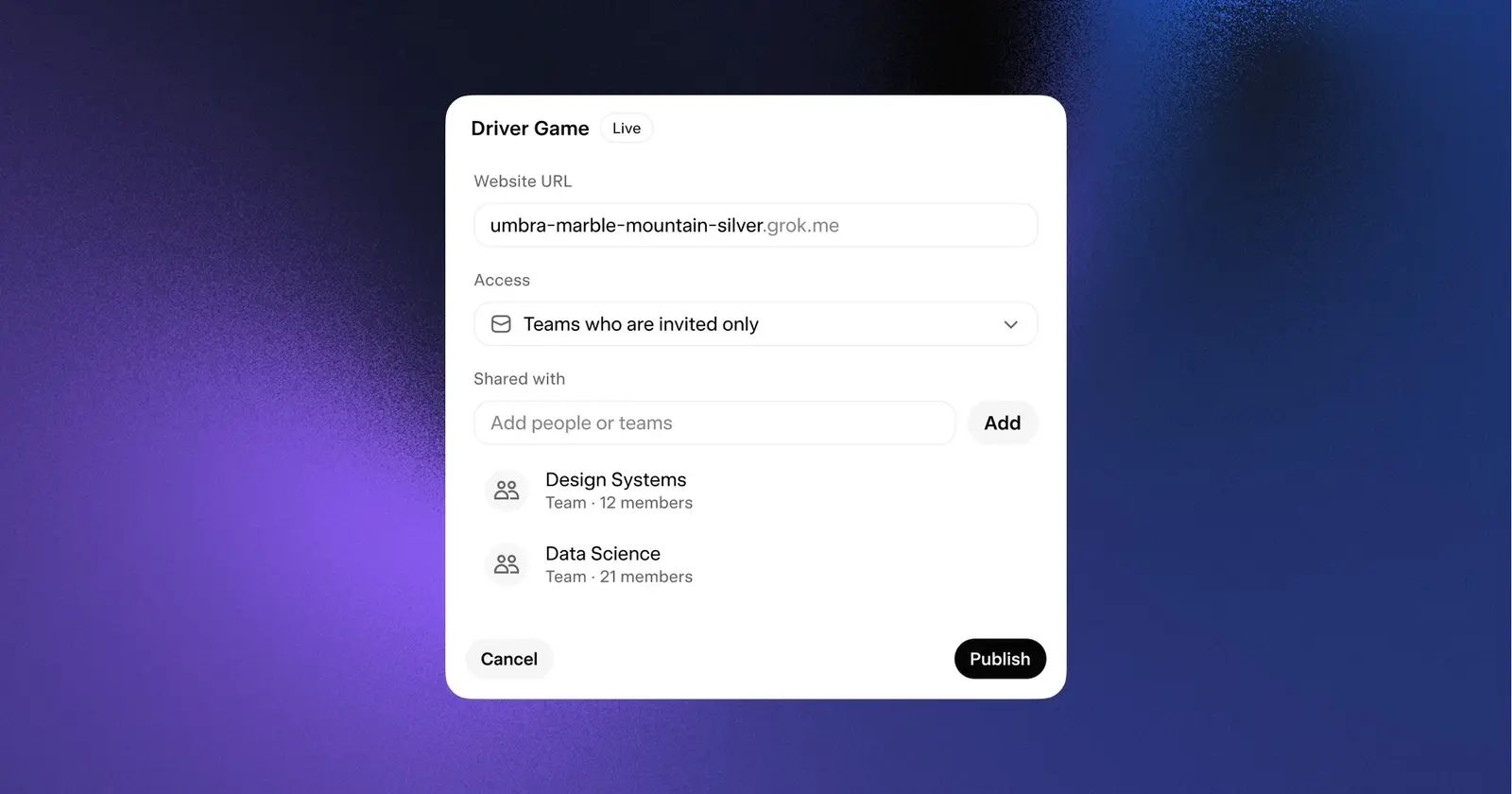
Apps shared from Grok Build now have access controls that work on the web, on mobile and in the CLI, Testing Catalog reported on Threads on August 20. The update builds on xAI’s terminal coding agent, which every SuperGrok and X Premium+ subscriber has been able to use since late May.
Here is how Grok Build got to this point:
- May 14: early beta launches, limited at first to SuperGrok Heavy subscribers, according to the date given by Digital Applied.
- May 20: the model appears on OpenRouter as
x-ai/grok-build-0.1, per the same outlet. - May 24: access widens to all SuperGrok ($30/mo) and X Premium+ ($40/mo) subscribers.
- May 25: xAI officially announces Grok Build.
- August 20: access management for shared apps arrives on the web, mobile and CLI.
The May 24 expansion made the entry price much lower. Digital Applied puts SuperGrok Heavy at $99 a month for the first six months and $300 a month after that, so SuperGrok’s $30 is a tenth of the Heavy list price.
xAI’s launch post calls the agent an early beta for professional software engineering. In plan mode, you can approve the plan, comment on individual steps or rewrite the whole thing before the agent changes anything, and once it starts, every edit shows up as a diff. It picks up the AGENTS.md, plugins, hooks, skills and MCP servers already in the repo. For bigger tasks it hands work to specialised subagents that run in parallel, and each can get its own worktree (a separate checkout of the same repo). Headless mode (-p) runs the agent from scripts and automations, and full ACP support lets you build custom bots and orchestration apps on top of it.
Digital Applied reports up to 8 parallel subagents and gives a vendor-reported SWE-Bench Verified score of 70.8%. That puts Grok Build almost 17 points behind Opus 4.7 at 87.6%, and further behind GPT-5.5 at 88.7%.
Installation is a single command, curl -fsSL https://x.ai/cli/install.sh | bash, and the agent runs locally, so the code it writes runs on your own machine.
Up next

Claude Academy opens with free courses and tutorials, Video
Every course and tutorial at Claude Academy is free and open to anyone, whether you’re figuring out what AI is or already using Claude every day. Anthropic laid out its teaching approach in a companion blog post.
Related stories
- Grok Build starts remembering how your team runs tests
- Grok Bot starts talking back on desktop and mobile
- Android build of Grok Bot hits Google Play
- Grok Bot rollout widens to Cursor Pro+ and Teams
- Replit says its agent swarm built Radar in 2 days for $3,000
- Claude Code 2.1.326 runs Code Mode with agent teams on
Comments
No comments yet. Be the first.
Join the conversation
Sign in to leave a comment. It appears after moderation.