
Claude API sends its traces to your observability tool
On October 14, Anthropic opened a public beta of OpenTelemetry export for Claude Platform. Once a destination is set up, the API emits a span for every model request and every tool use in your Messages API calls and Managed Agents sessions, and sends them to your observability platform. No code changes are needed, only a destination added in the Claude Console by someone with the admin role. Prompts, responses and tool payloads are sent only if that destination is set to Full content, and after delivery they are held under your platform’s retention and access rules, outside Anthropic.
The setup is described in Anthropic’s documentation. The beta covers the Claude API and Claude Platform on AWS. Spans follow the OpenTelemetry gen_ai conventions, and Anthropic says the Claude SDKs can export spans too. SDK export is configured separately, in its own guide.
What your endpoint has to accept
The API sends spans over OTLP/HTTP with protobuf encoding, to an HTTPS URL on port 443 that uses a hostname, not an IP address. If you run your own OpenTelemetry Collector, its OTLP/HTTP receiver listens on port 4318 by default. You’ll need to configure it to accept HTTPS on 443, or put a load balancer or reverse proxy in front of it. For the same reason, platform export can’t reach a server on localhost: MLflow’s tutorial says a remote MLflow server is required, version 3.17.1 or newer.
For a listed provider, the Console asks for that provider’s details, such as an API key, instead of a URL. Sentry’s walkthrough has you paste a DSN, and the Console finds the OTLP endpoint and key from it. For Custom, enter the base URL without /v1/traces, because the API appends that path itself. Put credentials only in header values. The Console doesn’t show them again after you save, and you have to re-enter them if you change the endpoint’s host.
Each destination covers All workspaces, Selected ones, or All except a chosen few. The API sends spans to every enabled destination that covers the workspace where a request runs. An organization gets 10 destinations, and disabled ones count toward that.
Metadata only or Full content
In Metadata only mode, spans carry the duration, status, token counts, model and tool names. Full content adds prompts, responses, tool inputs and tool results, with an optional cap on how much content goes into each span. Sentry recommends Full content in its guide: without prompts and responses, you see that a run failed but not why. Organizations with a HIPAA, FERPA or K-12 data-handling restriction with Anthropic may get spans without prompts or responses even when the destination is set to Full content.
Nesting API spans under your own traces
By default, each request or session gets its own trace. If you send a W3C traceparent header, the API spans nest under your application’s spans. If that header’s sampled flag is off, the API doesn’t emit the request’s spans at all. Claude Platform on AWS doesn’t read the header yet, so its spans always start their own traces, even when the flag is off.
The trace also passes downstream. When you connect an MCP server through the MCP connector, every request and notification the API sends it carries a traceparent in params._meta. A tools/call references that tool use’s anthropic.mcp_tool_use span, so your server can attach its own spans under it. MLflow’s tutorial says that sending SDK spans and platform spans to the same experiment links the client side to the server side. Claude Code’s spans gained the same GenAI attribute names, such as gen_ai.tool.name, in version 2.1.300, so both sources use the same field names in one dashboard.
Delivery rules
Delivery is at least once and best effort. That means duplicates can arrive, which you remove by trace ID and span ID, and a span lost before delivery is never resent. The first request of each delivery is gzipped. If the endpoint answers 400 or 415, the API resends the spans uncompressed right away. Your endpoint has 5 seconds to finish the TLS handshake and 5 seconds to return headers, and the whole delivery, resend included, gets just 10 seconds. Retries are limited to timeouts, connection, TLS and DNS failures, and 408, 429 and 5xx responses.
The API disables a destination if the endpoint returns a 3xx redirect, if its hostname resolves to an IP address that isn’t public, or if every delivery fails for 24 hours. Export stays off until an admin fixes the cause and clicks Enable, then resumes within about a minute.
To check a new destination, run Test from its More actions menu and look for the anthropic.test span. Then send a Messages API request from a covered workspace, wait about a minute for the Delivery column to show Healthy, and filter your platform on service.name = claude-platform.
Up next
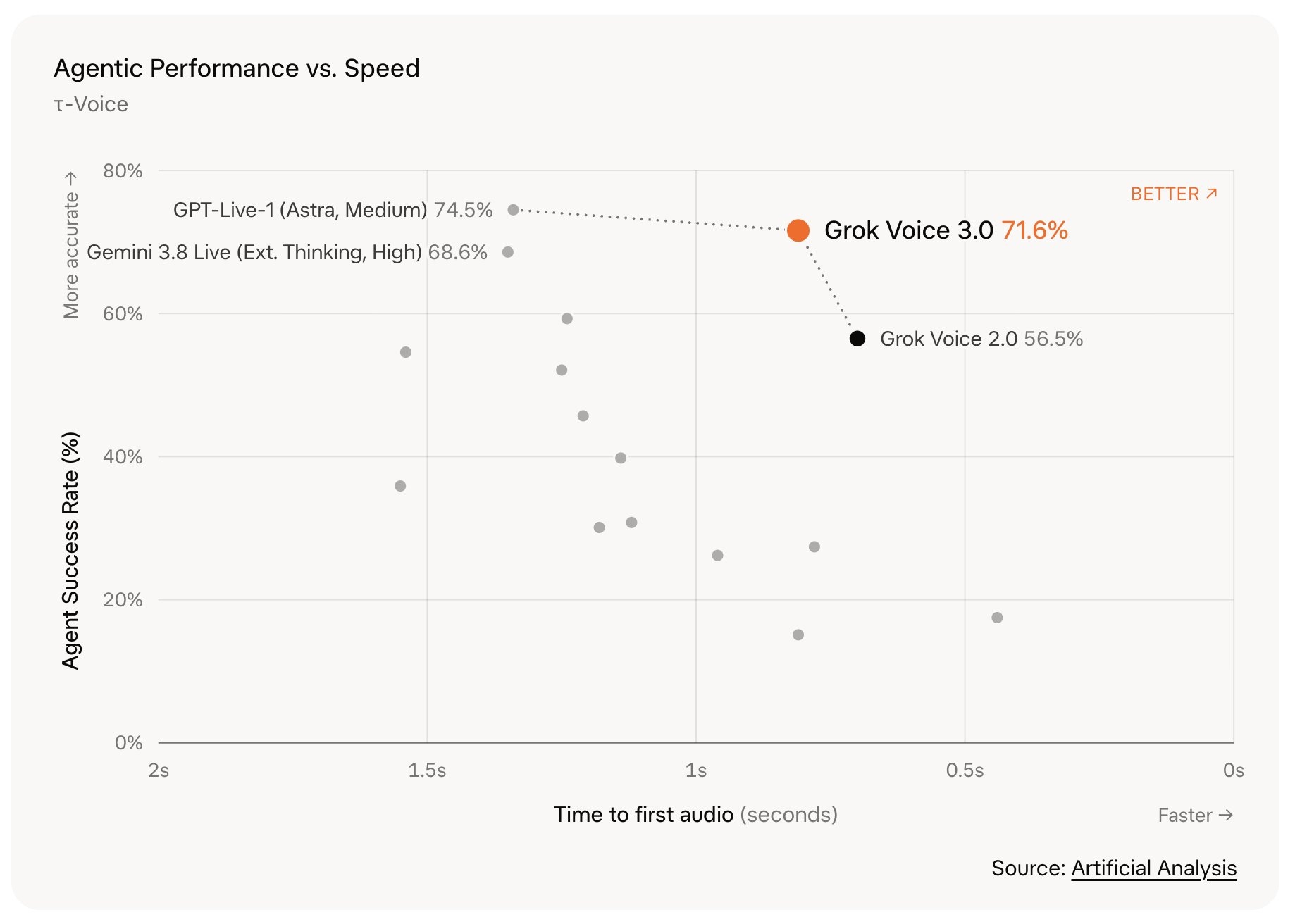
Grok Voice 3.0 takes first place at the old $0.08 price
Voice agents on grok-voice-latest switch to Grok Voice 3.0 on their own, at the same $0.08 per minute, and xAI says the new model tops Artificial Analysis’ speech index. Would you let a live voice agent auto-upgrade, or pin the version yourself?
Related stories
- Claude now picks its own agent team in Managed Agents
- Claude Code 2.1.301 stops waiting out distant usage limits
- Claude Managed Agents now plans runs of up to 1,000 agents
- Managed Agents goes fully self-hosted in private beta
- Claude plugins get a portal as MCP usage climbs 110x
- Installing agents in Slack skips the custom app
Comments
No comments yet. Be the first.
Join the conversation
Sign in to leave a comment. It appears after moderation.