
Claude Code Remote Control starts sessions from a phone
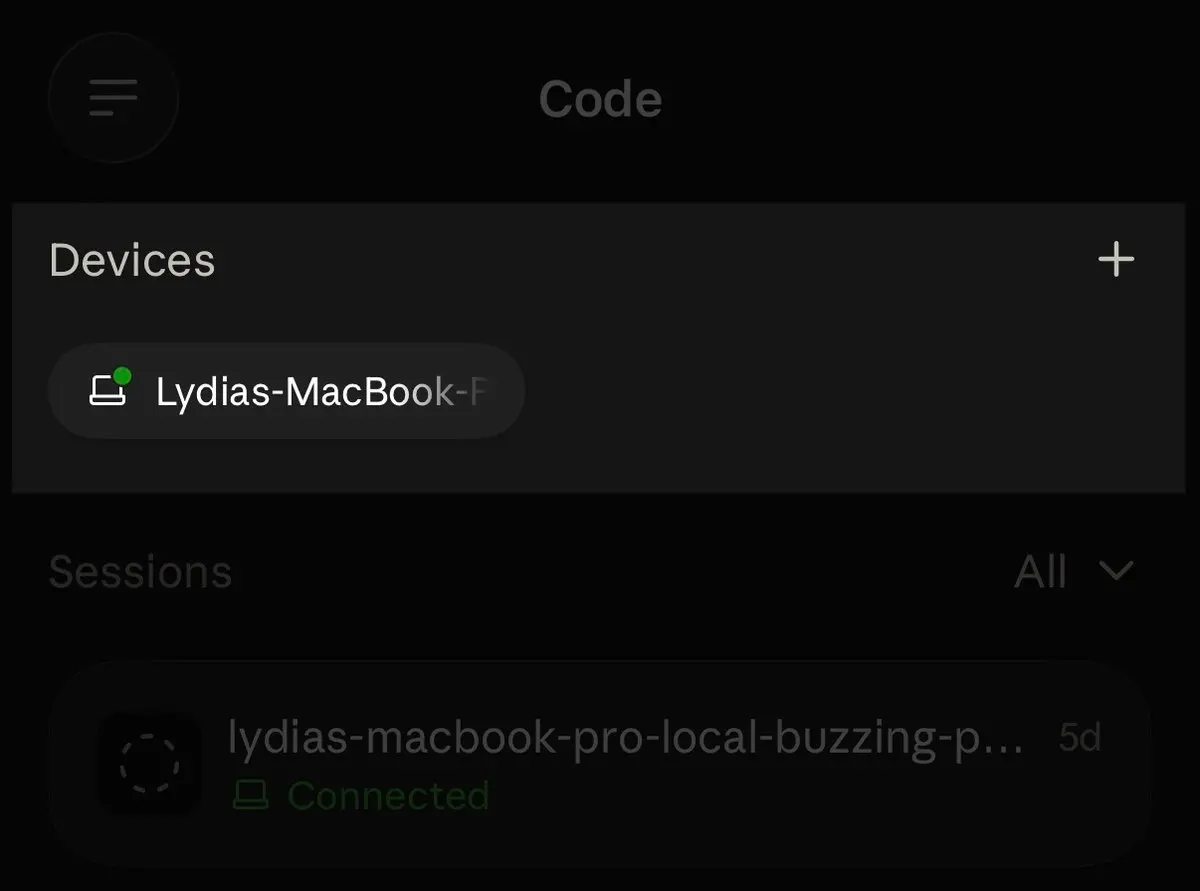
Since August 21, the Claude mobile app can start a Claude Code session on your own machine, not only pick up one already running there. The rest of the update targets the weak spots of Remote Control: sessions that got archived, sessions that hung around after they had ended, and connections that dropped and stayed dropped.
Anthropic announced the changes in a thread from the ClaudeDevs account on X, which opens with the reason for the work: “Last month you told us Remote Control was the thing you’d most like us to fix, so we’ve been working hard on reliability.”
Remote Control links claude.ai/code or the Claude app for iOS and Android to a Claude Code session on your computer, the Claude Code docs explain. Claude itself runs locally the whole time, so code execution and filesystem access never leave the machine, and the phone is only a window onto that process. Claude Code sends outbound HTTPS requests and opens no inbound ports. The Anthropic API passes messages between the local session and the phone over TLS, so there is no port forwarding, VPN or SSH tunnel to set up. The feature launched on February 25 as a research preview for Pro and Max subscribers.
Starting a session from the phone works like this. Any machine running claude remote-control shows up as a device card at the top of the Code tab in the app. Tap the card, choose a directory, and the session starts on that machine.
The sync fixes cover what happens when you switch between devices. Before, resuming a session on the laptop archived it on the phone. Now the phone stays attached to the live session. When Claude Code exits, the phone marks it offline within seconds, where it used to leave a stale session showing. Resuming has caused trouble before: in August, version 2.1.228 fixed a bug where running /resume during a Remote Control connection could bleed the restored conversation’s title or history into the current session.
Dropped connections now recover by themselves. Closing the laptop for a moment or moving to another wifi network triggers an automatic reconnect. At launch, losing the network for roughly 10 minutes ended the session. The docs now say Claude Code reconnects automatically once the machine is back online after sleep or a network drop.
Phone and CLI now also keep the same model and effort level, and heavy sessions open much faster on iOS. Anthropic gave no figure for how much faster. Three slash commands also behave differently on the phone:
/clearresets the phone view;/compactputs a compaction marker in the conversation;/diffopens the native diff sheet.
The limits of the design stay the same. A Remote Control session lives on your machine, so the computer has to stay on and the claude process has to keep running. The docs list availability on Pro, Max, Team and Enterprise plans, and on Team and Enterprise an Owner first has to turn on the Remote Control toggle in Claude Code admin settings.
The fixes only arrive with the latest CLI, Desktop and mobile apps, and Anthropic asks users to keep auto-update on. The thread ends with “More improvements on the way.”
Up next
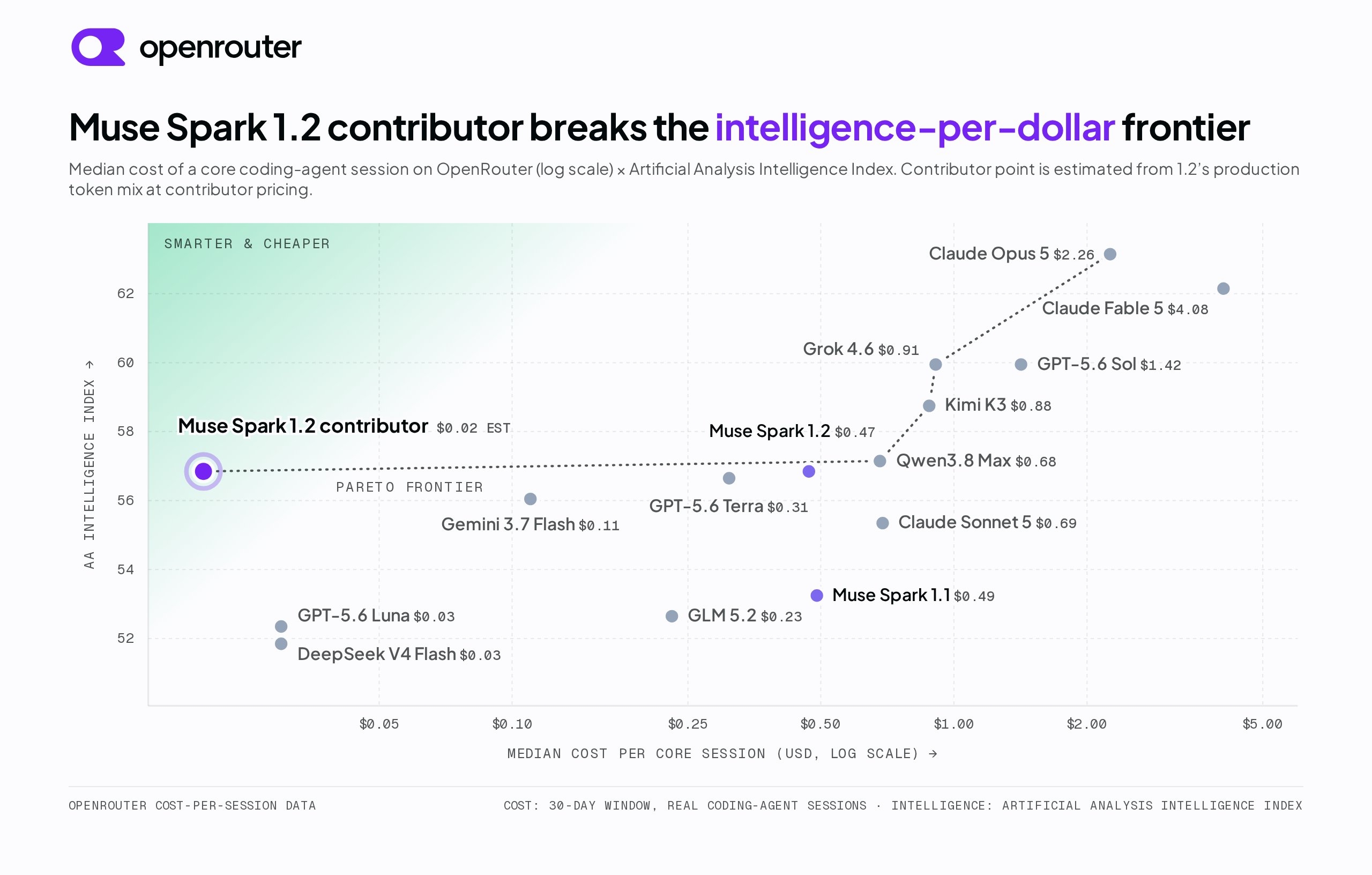
Contributor tier lands on OpenRouter at $0.10/M input
“Contributor” means your prompts and outputs may be used to improve Meta’s products, and in return Muse Spark 1.2 runs on OpenRouter at $0.10/M input and $0.20/M output.
Related stories
- Pop-out panes surface in the Claude Code desktop app
- Claude Code on desktop folds an iPhone Duo to test layouts
- Claude Code 2.1.318: login expiry warning, runner log change
- Claude Code 2.1.312 stops overwriting big CLAUDE.md files
- Claude Code 2.1.311 compacts past 200K instead of stopping
- Claude Code 2.1.310 brings Monitor to Bedrock and Vertex
Comments
No comments yet. Be the first.
Join the conversation
Sign in to leave a comment. It appears after moderation.