
Sparkle watermark gets an off switch in Gemini
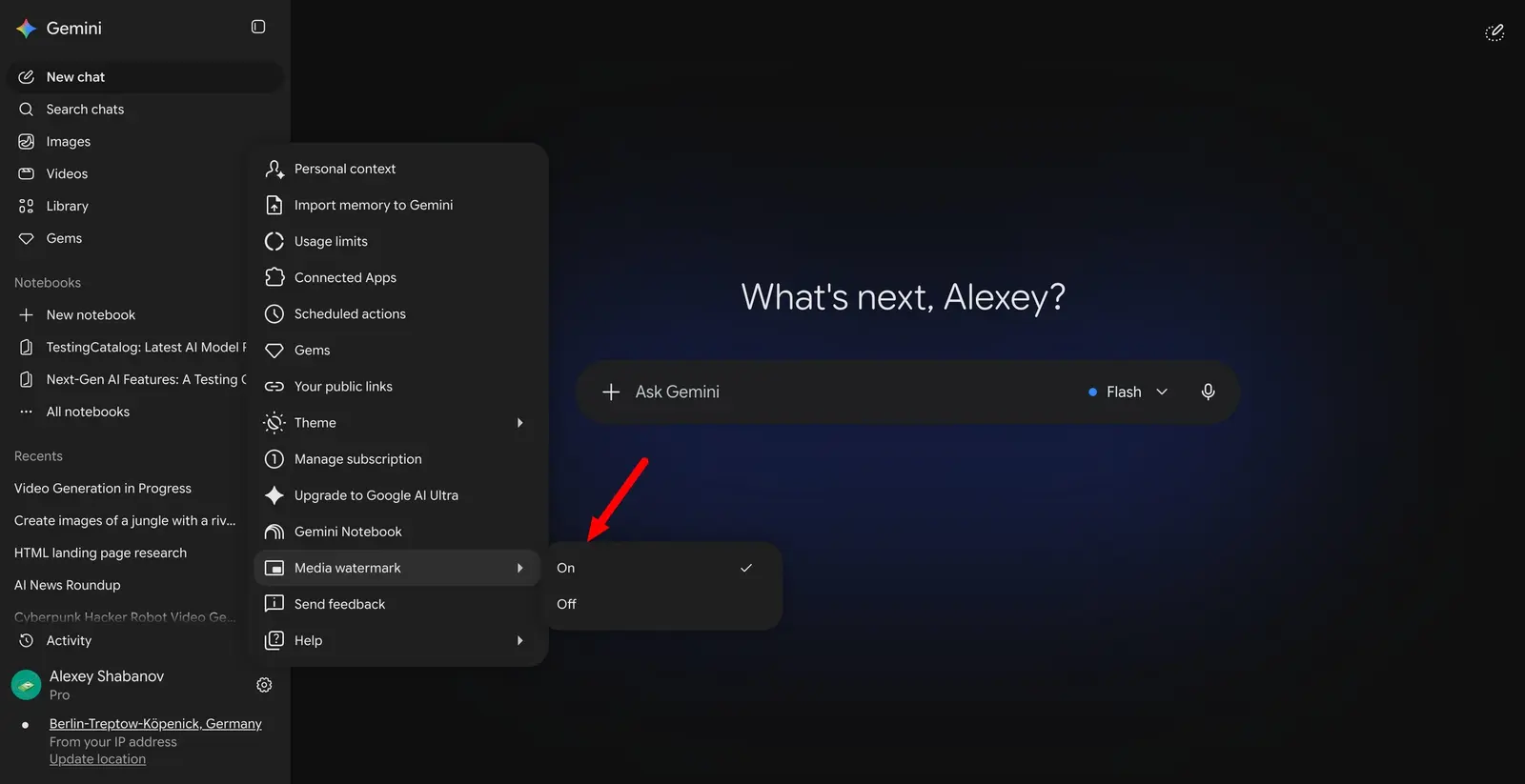
Gemini users can now switch off the sparkle, the small visible mark Google adds to generated images, videos and songs. Josh Woodward, vice president of Google Labs, Gemini, and AI Studio, announced the change on August 14. The toggle removes only the corner mark: every new file still carries SynthID, DeepMind’s imperceptible watermark, plus C2PA metadata recording that the content is AI-generated, so detection tools can still identify it as AI-made whichever way the setting is set.
The option isn’t offered in countries where visible labeling is legally required, as a Threads post on the change notes, and it is reaching accounts over the days after the announcement rather than all at once.
The Verge describes the mark as a “sparkle” in the bottom-right corner of content made with the Nano Banana and Omni models, and says C2PA metadata stays in the background of each file. The outlet also says the setting reaches Flow, Google’s AI video generator. The switch covers Nano Banana for images, Omni for video and Lyria for music, across the Gemini app and Flow. Google has promised Search support later.
The control sits in Gemini’s Settings, in a section called “Media Watermark”. It applies only to content generated after you turn it off, so files made earlier keep their sparkle.
Up next

Ads arrive on ChatGPT Free and Go plans this month
Ads may appear on ChatGPT’s Free and Go plans beginning later this month, OpenAI said in an email to users. To begin they won’t be personalized, picked from the current conversation topic plus general location and device type.
Related stories
- Claude’s text now carries an invisible watermark
- How Claude’s watermark works: it only changes the source of randomness
- Gemini Notebook reports generate slides on demand
- Avatars and a Customize tab head to Gemini desktop
- Six countries get Gemini Tasks free, the EU doesn’t
- Gemini reads your Google Wallet spending, US users only
Comments
No comments yet. Be the first.
Join the conversation
Sign in to leave a comment. It appears after moderation.