
Claude Code hides a /hub path for sub-agent boards
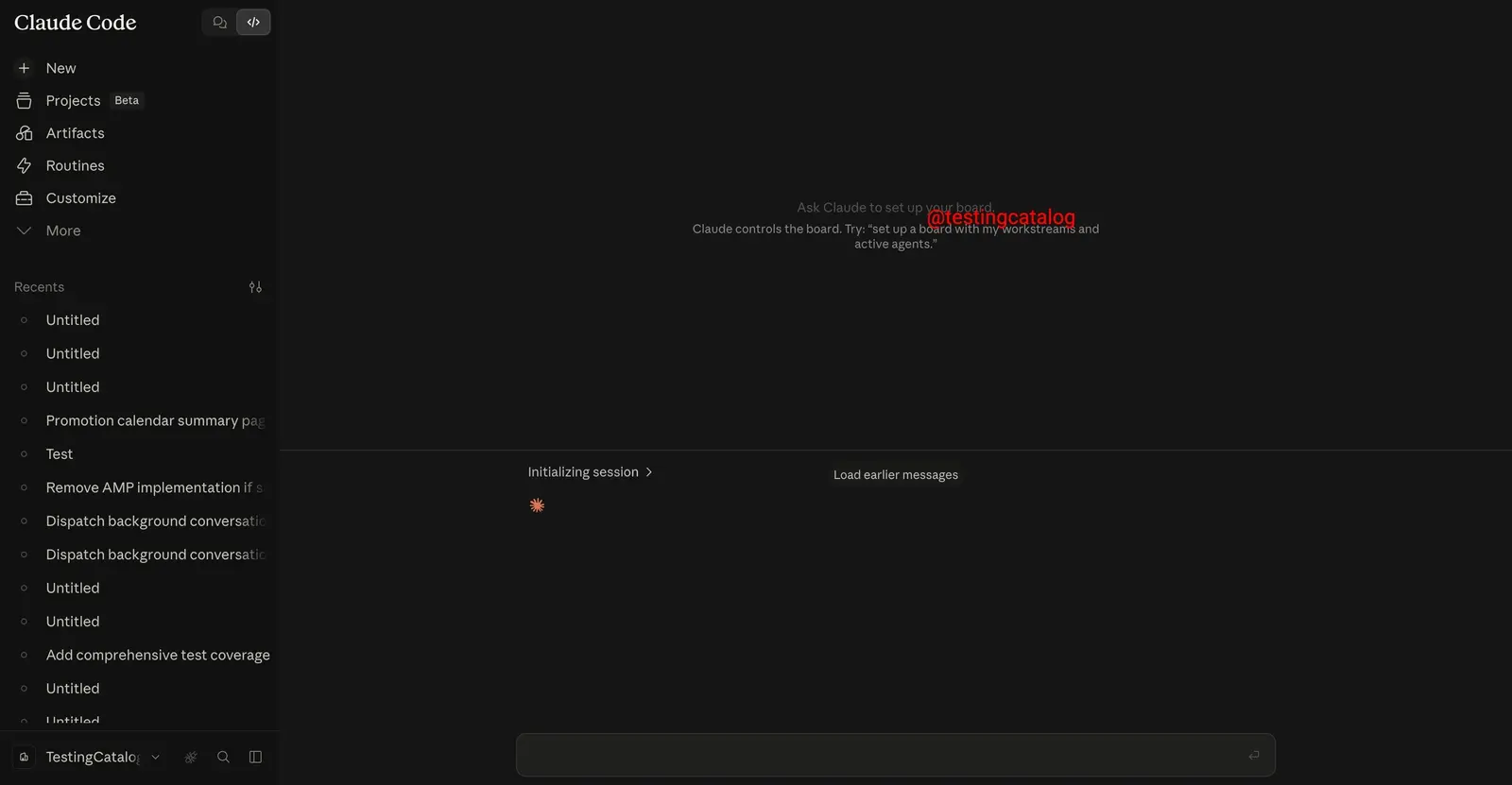
Anthropic is building a task board into Claude Code that Claude would run itself, tracking your workstreams and the sub-agents working on them. TestingCatalog reported the feature on August 18 in a post on Threads. The feature sits under a /hub path. The post describes it with the line “Claude controls the board” and gives a sample prompt: “Set up a board with my workstreams and active agents.”
Some of the interface can already be seen. In Claude Code on the web, opening the Hub destination brings up a list of sub-agents. Picking one leads to a page stating that Claude will generate a task board for the user and their agents. TestingCatalog compares the setup to the recently released Grok Bot, where users create multiple specialized agents. It also says the feature would fit Anthropic’s push toward agent-based workflows across Claude Code, Cowork and collaborative projects.
Claude Opus 4.8 introduced Dynamic Workflows, which let Claude orchestrate up to 1,000 sub-agents in parallel. Claude writes a JavaScript orchestration script, and a runtime executes it in the background for codebase-scale tasks. Memeburn says those runs happen behind the scenes, so users see the output but not the individual agents doing the work, and that Hub Mode could expose that orchestration layer. At up to a thousand agents a run, that is a lot of work happening out of sight, and a board of “active agents” could plausibly be the view onto it.
Hub Mode is the other loose end. It turned up in the Claude mobile app, marked internal, next to a planet icon. A similar icon had appeared earlier under the name Orbit and was later removed. TestingCatalog says there is no confirmed connection between Hub Mode and the Hub in Claude Code on the web. The mode’s description says it applies to new tasks and that you have to restart the app after turning it on. When TestingCatalog switched it on, nothing visible changed.
Up next

Anthropic finds ‘mind viruses’ in multi-agent AI systems
Mind viruses, ideas that propagate through multi-agent systems, can spread in AI agents, Anthropic research found. A brief warning gives near-total immunity.
Related stories
- No multiplayer in Claude Code Projects yet, Anthropic says
- Leaked Claude Code Hub lists local and cloud sessions
- Hub testing in Claude adds a switch-back feedback prompt
- Claude Code sessions can now talk to each other
- Claude Code has four kinds of agent loops: /goal, /loop, /schedule
- Letting Claude filter its own tool output took Opus 4.6 from 45.3% to 61.6% on BrowseComp
Comments
No comments yet. Be the first.
Join the conversation
Sign in to leave a comment. It appears after moderation.