
Gemini's desktop Tasks mode comes with a voice button
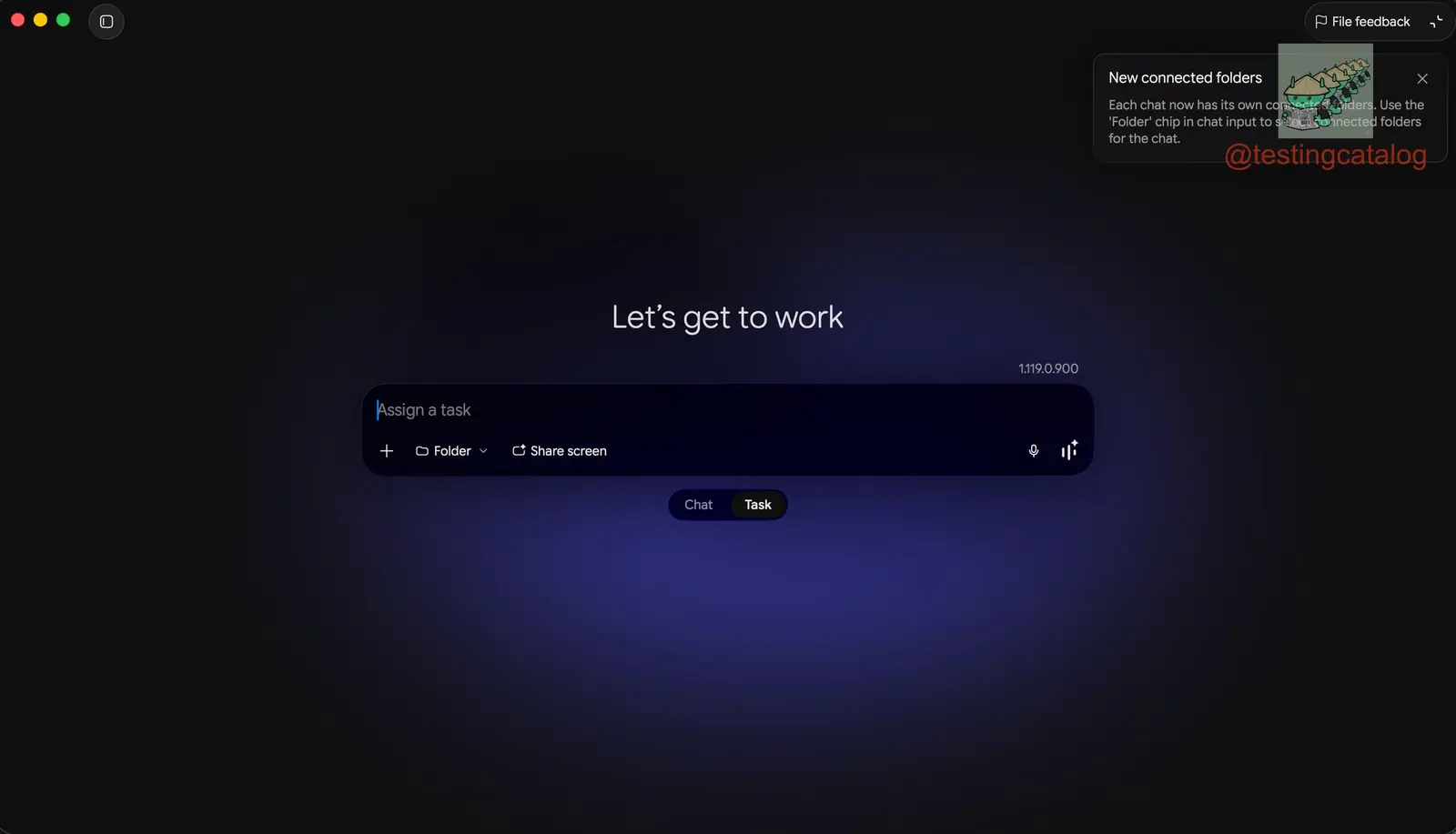
The most telling button in Gemini's new Tasks mode is the one for voice. According to TestingCatalog, Tasks has the same Gemini Live entry point as regular Chat, which hints that one day you could talk to Gemini while it operates your laptop through Computer Use. The timing fits: Google released Gemini 3.8 Live, a real-time audio model built to carry out tasks during a conversation, on September 15.
At a glance
- The latest Gemini desktop app update adds a switch between Chat and Tasks, moving Computer Use into a new testing phase, and trusted testers are beginning to receive access to Tasks mode.
- A new settings menu lets you list allowed and disallowed apps, so you decide which programs Gemini may operate, and starting a Gemini project directly from a folder is becoming more prominent.
- TestingCatalog has not yet had access to Tasks mode itself, and a production rollout of these Computer Use features could still take weeks or longer, depending on how testing goes.
If you haven't been following, Google announced the Gemini app for Windows in September, and it launched publicly only earlier this month. Google has also been expanding Gemini toward cross-app task execution and background workflows. Computer Use is the part of that work where Gemini operates applications on your computer instead of only answering in a chat window.
Tasks sits next to Chat and comes with a Gemini Live button
The latest Gemini desktop app update adds a switch between two modes, Chat and Tasks. Chat is the conversation window people already know. Tasks is tied to Computer Use, which this update moves into a new testing phase, and trusted testers are beginning to receive access to it.
TestingCatalog does not yet have access to the mode itself. What it does report is that Tasks, like Chat, includes an entry point to Gemini Live. The outlet reads that as a sign that users could eventually run Computer Use tasks by real-time voice, asking Gemini to work with their laptop while keeping a live conversation going.
Gemini 3.8 Live, released September 15, can call tools without stopping to wait
On September 15, Google announced Gemini 3.8 Live and 3.8 Live Extended Thinking and described voice tasks and asynchronous function calls. The new real-time audio model supports carrying out tasks during dialogue, and TestingCatalog calls it a natural fit for a voice-driven Tasks mode.
Function calling is how a model reaches outside itself. It asks a tool, an app or a service to do something and then waits for the answer. With synchronous calls, the conversation stalls until the result comes back. With asynchronous calling, the model starts the call and keeps talking while the call runs, then uses the result once it arrives.
Think of a waiter who sends your order to the kitchen and then takes your drinks order, instead of standing at the pass until the food is ready. For an agent working its way through a desktop, where one step can take a while, this difference decides whether the voice channel goes quiet or stays usable while the agent works.
A new menu lists which apps Gemini is allowed to operate
Computer Use settings are also getting more granular. A new menu lets users configure allowed and disallowed apps, which controls the applications Gemini can operate. In practice that means two lists: programs the agent may work with, and programs it has to leave alone.
The second addition will be familiar to anyone who has followed the app closely. The option to start a Gemini project directly from a folder was spotted earlier. It has now become more prominent and appears to be entering trusted testing as well. TestingCatalog says these changes, together with the Windows launch and the Tasks switch, show Google positioning the Gemini desktop app as more than a standalone chat client.
Some testers link Gemini 3.8 Flash responses to a Gemini 4 Pro checkpoint
Separately, rumors about Gemini 4 continue. Some testers have reported responses that appear to come from a Gemini 4 Pro checkpoint while they were using Gemini 3.8 Flash, although the exact model identity is still unclear. TestingCatalog reports this separately from the Tasks news.
TestingCatalog has previously spotted references to the Gemini 4 family. It is still unclear which checkpoint Google plans to release under that name. So a response that looks like Gemini 4 Pro today may or may not match the model that eventually ships with that label.
The limit here is plain. TestingCatalog has not used Tasks, so the voice-controlled laptop is a reading of one button, not a demonstrated workflow. The report also does not say whether Tasks will run on Gemini 3.8 Live specifically. In our view, the allowed and disallowed apps list is the right piece to ship before voice control, because an agent you steer by talking needs its boundaries set before the conversation starts.
When Tasks leaves trusted testing
No release date has been given. TestingCatalog expects a production rollout of the Computer Use features to take weeks or longer, depending on testing, and for now only trusted testers are receiving Tasks. Two things are worth watching as access widens: whether the Live button in Tasks really lets you run Computer Use by voice, and which checkpoint Google finally ships under the Gemini 4 name.
Related stories
- Gemini 3.8 Live Extended Thinking tops GPT Live 1
- Computer use traces show up in the Gemini desktop app
- Muse checks out with Shop Pay where Meta allows it
- One dial in Perplexity Computer sets model and cost
- Anthropic folds Cowork into Claude chat and adds Slides
- Gemini Notebook reports generate slides on demand
Comments
No comments yet. Be the first.
Join the conversation
Sign in with Google to leave a comment. Your name and avatar come from your Google profile, and the comment appears after moderation.