
claude-code
Claude Code Remote Control starts sessions from a phone
Claude News
 claude-code
Anthropic has spent the past development cycle on Remote Control reliability in Claude Code, and the visible addition is that a session can now be started from the phone. The changes were detailed in a thread from the ClaudeDevs account on X.
At a glance
- Session state now tracks the machine: resuming on a laptop keeps the phone attached to the live session instead of archiving it, and an exit registers as offline within seconds.
- Dropped connections reconnect on their own after a closed laptop or a wifi switch, and phone and CLI sessions stay in sync on both the selected model and the effort level.
- Slash commands behave properly from the handset: /clear resets the phone view, /compact shows a compaction marker and /diff opens the native diff sheet, while heavy sessions open much faster on iOS.
Remote Control sits at the weak point of a workflow Anthropic keeps pushing: long agent sessions that outlive the moment a developer is sitting at the desk. Stale cards, sessions archived while still running and connections that died on a closed lid made the phone look like a viewer rather than a control surface. The batch reads as an attempt to fix that credibility problem before adding anything new, which is likely why the announcement leads with a user-voted request.
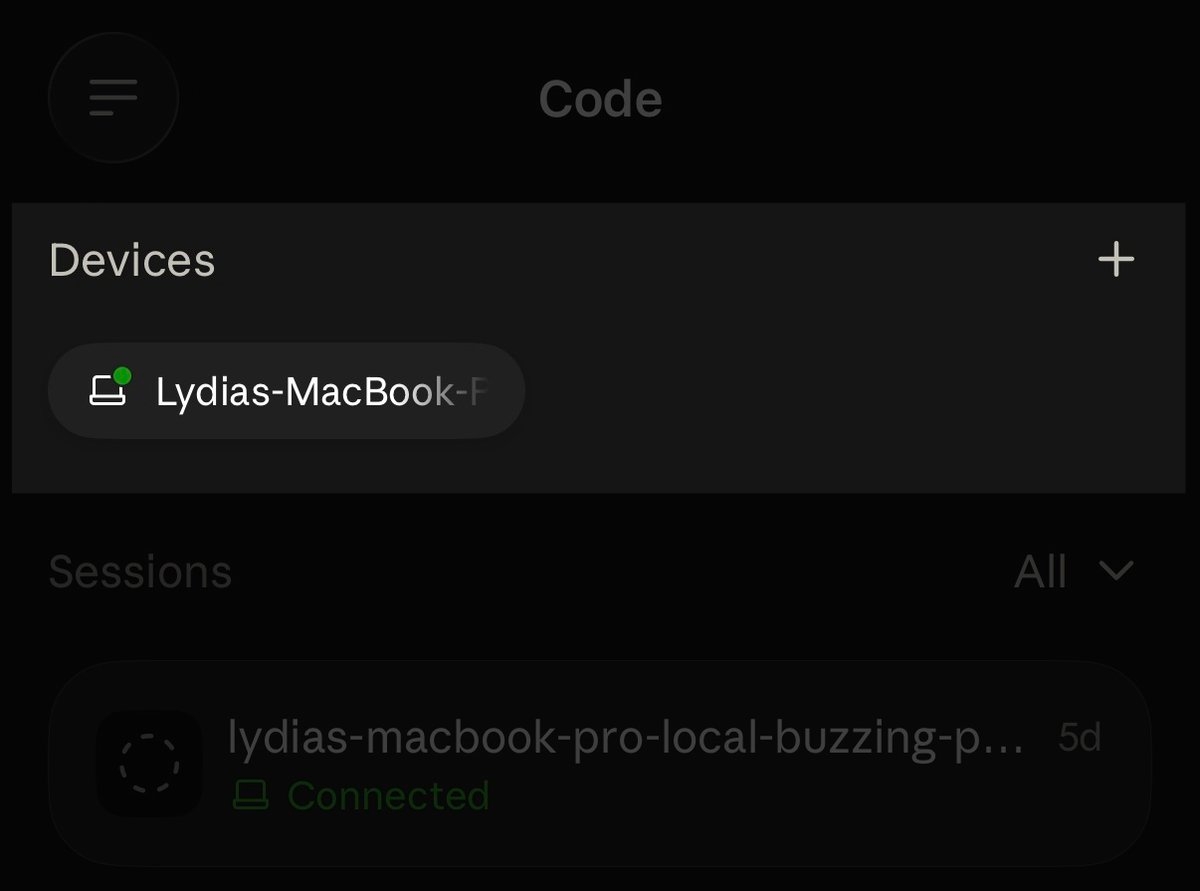
A device card in the Code tab starts a session on the chosen machine
Any machine running claude remote-control appears as a device card at the top of the Code tab in the mobile app. Tapping the card and picking a directory starts a Claude Code session on that machine, with the working directory chosen from the phone before the session begins on the machine.
The ClaudeDevs account said Remote Control was the item developers most wanted fixed in last month's feedback, and that the work since then went into reliability. Starting a session from the handset is the new capability in the batch, and the rest of the announcement covers session state, connectivity, model settings and slash command behaviour on the phone.
Resuming a session on the laptop keeps the phone on the live session
A session resumed on the laptop keeps the phone attached to the live session in the mobile app instead of archiving it. When Claude Code exits, the phone shows the machine as offline within seconds rather than leaving a stale session in the list. Both behaviours concern what the phone displays while the session runs on the machine.
Dropped connections now recover on their own: a briefly closed laptop or a move between wifi networks triggers an automatic reconnect. Remote Control links a Claude Code session running on a desktop machine to the mobile app, and that link is what the reliability work targeted, since the machine does the execution and the phone follows it.
Model and effort level stay in sync between the phone and the CLI
Phone and CLI sessions now stay in sync on the model in use and on the effort level, which means a switch made in the terminal shows up on the handset and the reverse applies too. Heavy sessions also open much faster on iOS, according to the ClaudeDevs thread.
Slash commands issued from the phone were part of the same pass, and three of them were named. /clear resets the phone view, /compact shows a compaction marker, and /diff opens the native diff sheet, the platform's own viewer, inside the mobile app. The three commands were the only ones singled out in the announcement.
The auto-update requirement
The fixes require the latest CLI, Desktop and mobile apps with auto-update turned on, and the ClaudeDevs account says more improvements are on the way without naming a date or a version number. The faster-loading claim was made for iOS only, and the thread points to the Remote Control documentation for setup details. No benchmark or timing figure was given for the iOS improvement.
Comments
No comments yet. Be the first.
Join the conversation
Sign in with Google to leave a comment. Your name and avatar come from your Google profile, and the comment appears after moderation.
We only use your name and avatar from Google. We never store your email address.