
Claude Code 2.1.310 brings Monitor to Bedrock and Vertex
Claude Code 2.1.310 brings the Monitor tool and plugin monitors to Amazon Bedrock, Google Vertex AI and Microsoft Foundry. They also work now in sessions where telemetry or nonessential traffic is turned off. The release notes on GitHub, dated October 23, also cover gateway compatibility, compaction and a Windows hook bypass.
Monitor arrived in v2.1.98 on April 9, so teams that run Claude Code through a cloud provider or with traffic locked down only get it now, six months later. It works like this: Claude writes a small watch script, runs it in the background and gets each line the script prints to stdout as a notification. The conversation goes on as normal, and Claude steps in only when an event arrives. Without Monitor, Claude has to keep checking on a long build or CI run itself, re-reading output on a schedule whether or not anything has changed.
If you already use Monitor elsewhere, it behaves the same way on these setups. It follows the same allow and deny permission rules as Bash, so any Bash patterns you’ve set apply to it as they are. Stdout lines that arrive within 200ms of each other come in as one notification. Stderr triggers nothing and goes to an output file Claude can read later. And when a watch script pipes through grep, it needs grep --line-buffered. Without that flag, output waits until a buffer of about 4 KB fills, and events arrive late with no warning.
The same environments now also block long foreground sleeps, as the main Claude Code setup already does. That probably pushes Claude to wait with a monitor rather than stall the session with sleep.
The second fix matters to anyone behind a corporate gateway or a compatible server. Some of these reject the effort-2025-11-24 beta value or system messages that show up mid-conversation, and requests failed. Claude Code now retries without them. Version 2.1.305 did the same for tool search after gateways began rejecting it.
Two compaction changes target long or dense sessions. After a “Prompt is too long” error, compaction could keep too much of a conversation full of dense text such as base64 or SVG, so the next request failed again. It now cuts more. Non-interactive sessions (-p and the Agent SDK) also use less memory during compaction when the transcript file is very large.
Some of the fixes touch permissions and files:
- On Windows, PreToolUse and PermissionRequest hooks let a tool call through when Git Bash was missing and the hook’s command was only quoted strings, such as a quoted path.
- File read permission prompts now show where a symbolic link leads.
- Before the first read outside the working directories, auto mode’s prompt now says when blocking those reads will make shell commands ask for permission.
- Background cleanup no longer deletes recent files, such as pasted images, when
cleanupPeriodDaysis set to a very large value. - On Linux,
/sandboxand the sandbox startup warning now name Ubuntu’s AppArmor restriction on user namespaces when it stops bubblewrap from starting the sandbox, and explain how to lift it.
One change affects agents running unattended. An MCP tool call can time out in a non-interactive session while the server is still waiting for an answer to an elicitation, the MCP mechanism a server uses to ask the user for input. The error now tells Claude that no answer came and not to repeat the call. A question’s auto-continue timeout also no longer fires the moment the external editor closes after a long edit.
In VS Code, pressing Enter on the plan review card’s “Send feedback and keep planning” button used to approve the plan. It now sends your comments back. The panel also no longer shows “Something went wrong” after “Switch branch & continue” on a cloud session opened from the Web tab in Session history. Tmux users with allow-passthrough and focus-events on get a mod’s Image drawn in kitty, Ghostty and iTerm2 3.5+ with fullscreen rendering, where before it showed only its alt text. The rest of the notes are admin-panel fixes for Claude Tag and Code Review, plus a Choose file button for loading a cloud environment’s setup script.
For Enterprise admins, Claude Code cloud sessions and Remote Control are now permissions in custom roles, so Owners can grant each one by role. Turning either on in admin settings now asks for confirmation and lists the custom roles that hold that permission.
Up next
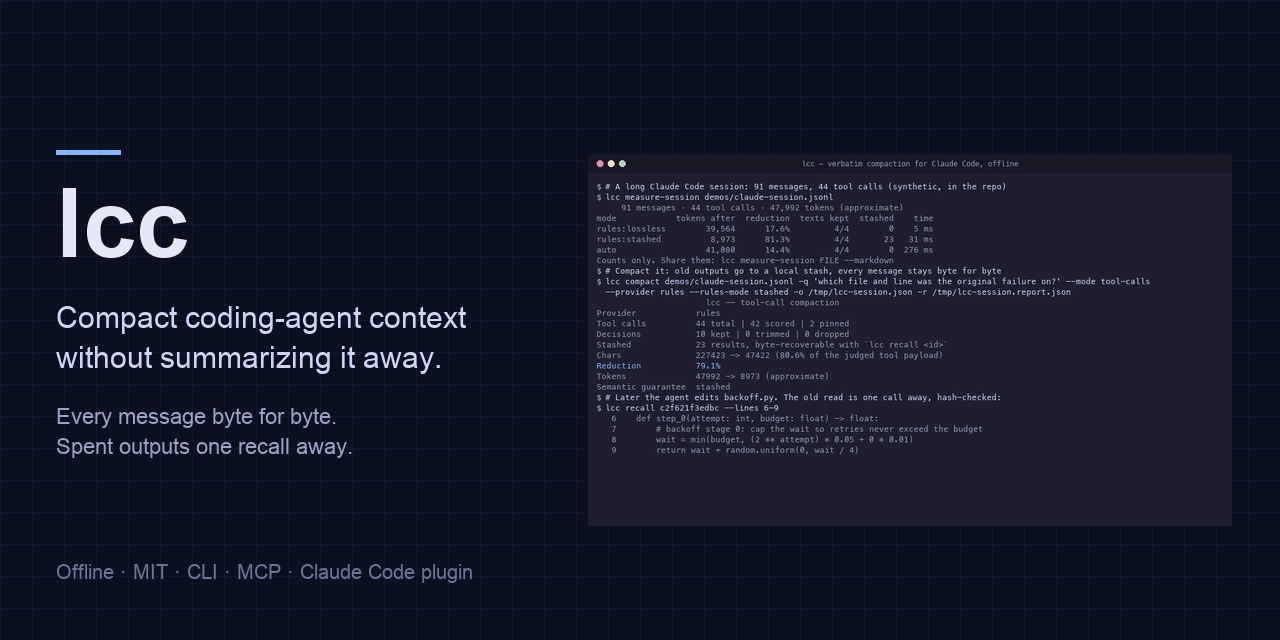
lcc cut one Claude Code session 49.5% without a summary
“Summaries drop the exact error, path or line the agent needs two turns later,” says the author of lcc, a tool that keeps Claude Code messages byte for byte and stashes old tool output. How often do you run /compact in a long Claude Code session?
Related stories
- Claude Code 2.1.309 closes sandbox and permission holes
- Claude Code 2.1.307 moves API code to version 2026-10-21
- Claude Code 2.1.305 repairs requests on Vertex and Bedrock
- Claude Code 2.1.301 stops waiting out distant usage limits
- Claude Code 2.1.300 splits cache writes by lifetime in OTel
- Claude Code 2.1.299 compacts idle chats before cache expiry
Comments
No comments yet. Be the first.
Join the conversation
Sign in to leave a comment. It appears after moderation.