
Claude Code cloud sessions go GA with credit outside limits
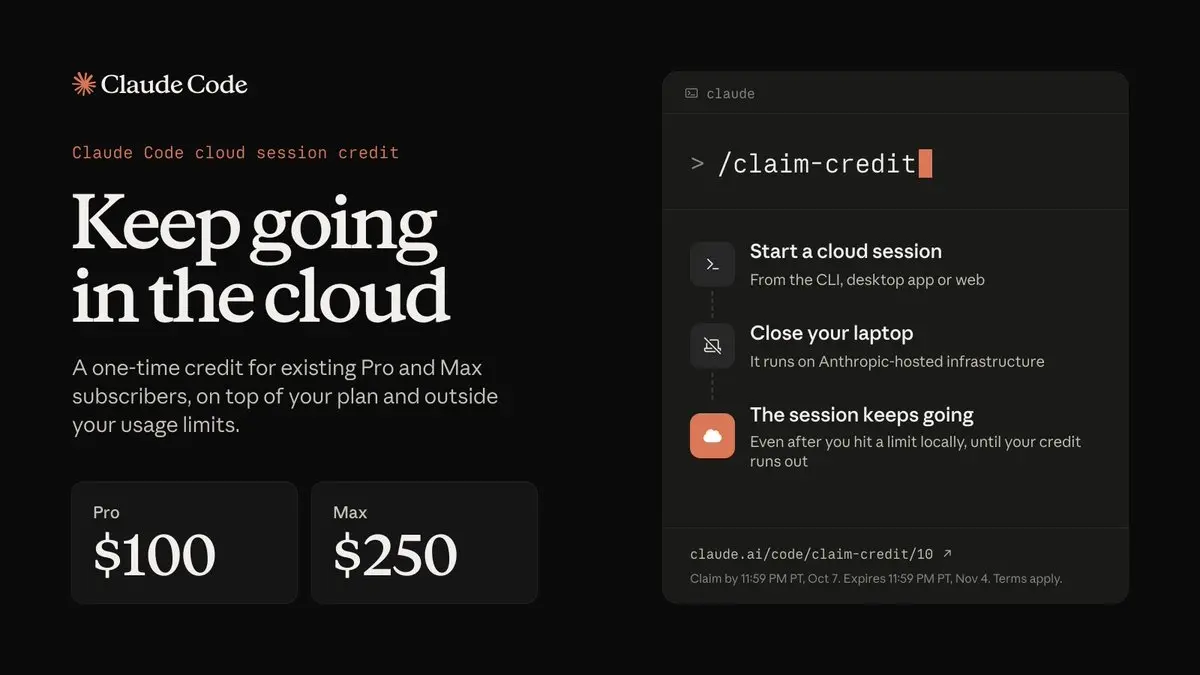
Anthropic on September 23 moved Claude Code cloud sessions, which run on cloud infrastructure and keep working after you close your laptop, out of research preview, the company said on X. Existing subscribers who claim by October 7 get a one-time credit, $100 on Pro and $250 on Max, that sits outside their usage limits: Claude Code work that hits a local cap can carry on in the cloud until the credit runs out.
Cloud sessions are available on Pro, Max and Team plans. When Anthropic launched Claude Code on the web as a research preview on October 20, 2025, its launch post said cloud sessions share rate limits with all other Claude Code usage; what they cost once the credit is spent is unclear.
The credit is one per account, covers cloud sessions only and applies automatically once you start one. You claim it with /claim-credit in the CLI or through the link in the announcement, and terms apply. Starting a session also needs GitHub connected, and GitHub is where the work comes back. In Anthropic’s docs, the repository is cloned to an Anthropic-managed VM, Claude changes the code and runs tests there, and at a stopping point it pushes its branch to GitHub, where you review the diff, leave inline comments or open a PR.
A cloud session can start from claude.ai/code in the browser, the Code tab in the Claude mobile app, the Desktop app with Cloud selected instead of Local, or claude --cloud in the terminal. That flag works with one repository at a time, and the older --remote spelling still works as a deprecated alias.
For work that hit a local cap, the route depends on where it was running. An existing terminal session can’t be pushed to the cloud, but the Desktop app’s Continue in menu can send a local session there. The reverse trip runs from the terminal: claude --teleport, or /teleport and /tp inside a CLI session, pulls a cloud session in.
Each session starts from a fresh clone of the repository, so it gets what the repo carries: its CLAUDE.md, the hooks in .claude/settings.json, the MCP servers in .mcp.json and the skills in .claude/skills/. Your own ~/.claude/CLAUDE.md, user-level skills and MCP servers added with claude mcp add are not available, because they live on your machine.
Network access comes from the session’s environment. If you have none yet, onboarding sets up a Default environment with no environment variables or setup script and with Trusted network access, under which sessions reach package registries and other allowlisted domains and nothing else.
Up next
Claude helped make claude.ai 3x faster in two weeks
“3x faster in two weeks” is what the ClaudeDevs account says about claude.ai, and the team credits Claude itself with measuring and debugging the slowdowns. The write-up comes with the exact prompts and methods they used.
Related stories
Comments
No comments yet. Be the first.
Join the conversation
Sign in to leave a comment. It appears after moderation.