
Cowork and chat share one Claude memory, on by default
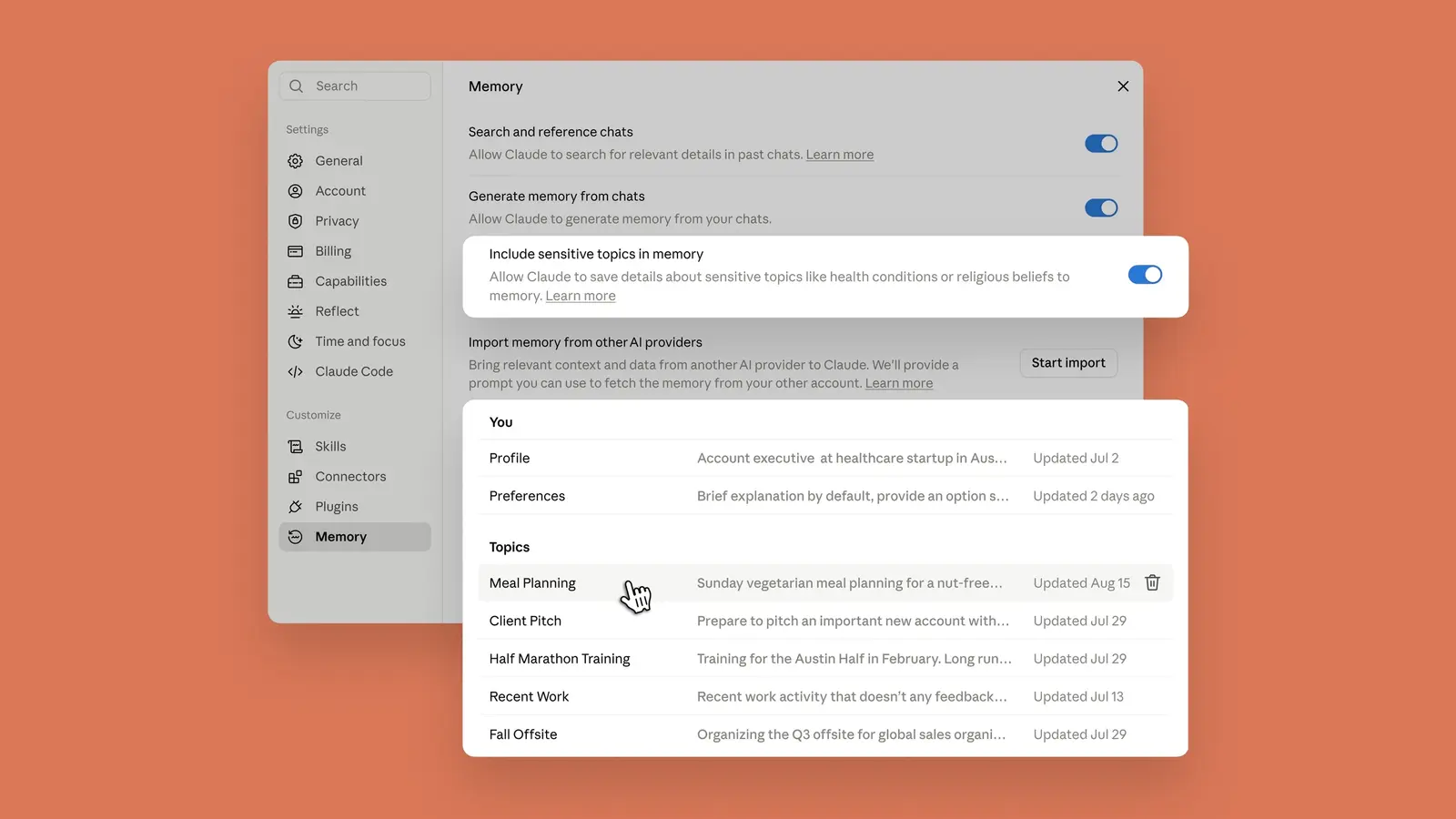
Anthropic has merged Claude's chat memory and Cowork's project-bound memory into a single store that follows a user across both surfaces, on by default for Free, Pro and Max. The change shipped Tuesday and was announced by Anthropic on Threads.
At a glance
- Everything Claude remembers appears in Settings as a list of topics that can be read, edited or deleted, and a correction made once propagates to every surface where memory is used.
- Memory now writes itself during a session rather than only after a chat ends, covering Cowork sessions that run for hours or days, and saying remember this pins a specific detail on demand.
- Anthropic keeps identification numbers, criminal history and immigration status out of memory permanently, and says nothing stored there feeds ad targeting because Claude carries no advertising.
The unification reads as another step in collapsing the line between the chat product and Cowork, a gap Anthropic has been narrowing for months. It also shifts the memory question from what a model retains to who audits it: a topic list that can be pruned item by item is a different proposition from an opaque profile. The default-on posture on consumer plans, against default-off on Enterprise and Teams, likely reflects where the compliance risk sits.
Cowork's memory used to be bound to individual projects
Before the update, Cowork's memory was scoped to individual projects and had no connection to what Claude had learned about a user in chat. The two stores are now one, so context built up over months of conversations, such as quarterly priorities or project status, is present the moment a task lands in Cowork.
Anthropic's examples run in both directions: asking Cowork to draft an update for a manager, with that manager's preferred format already known, or brainstorming a conference agenda in chat and having Cowork carry the headcount, the city and the speaker list into the budget and logistics document.
Sensitive categories stay out unless a Settings toggle turns them on
By default Claude does not store what Anthropic classifies as sensitive: health information, religious beliefs, race, ethnicity and gender identity. A Settings toggle turns those categories on for users who do want them remembered. According to The New Stack, the control is all or nothing, with no way to admit one category and exclude another.
A second tier never gets stored regardless of the toggle: sensitive identification numbers such as Social Security or government ID numbers, criminal history, immigration status, and anything that would violate Anthropic's Acceptable Use Policy. An Anthropic spokesperson also said Claude remains ad-free and nothing in memory is used for ad targeting.
That line lands in a market where memory and history features are widening. The New Stack notes that OpenAI recently launched Computer History, an optional feature that keeps track of activity on a Mac and makes it part of a recallable history.
Memory is on by default on Free, Pro and Max, off on Enterprise and Teams
Unified memory is enabled by default on the Free, Pro and Max plans across web, desktop and mobile, with the sensitive categories still excluded until the toggle is flipped. On Enterprise and Teams plans, all memory features are off by default.
Stored memories take the form of small files organized by topic, according to The New Stack, which reports that they can be deleted but not edited directly, with changes made by chatting with Claude from the settings menu. Anthropic describes the same list as readable, editable and deletable per topic, and points to Settings > Memory as the place to review it.
Where per-category control ends
The announcement gives no timeline for per-category control of the sensitive-topics switch, which per The New Stack currently admits every category or none. It also says nothing about whether direct editing of individual memory files will replace the chat-based workflow, or whether the default-off setting on Enterprise and Teams plans is expected to change once administrators have had time with the feature.
Up next
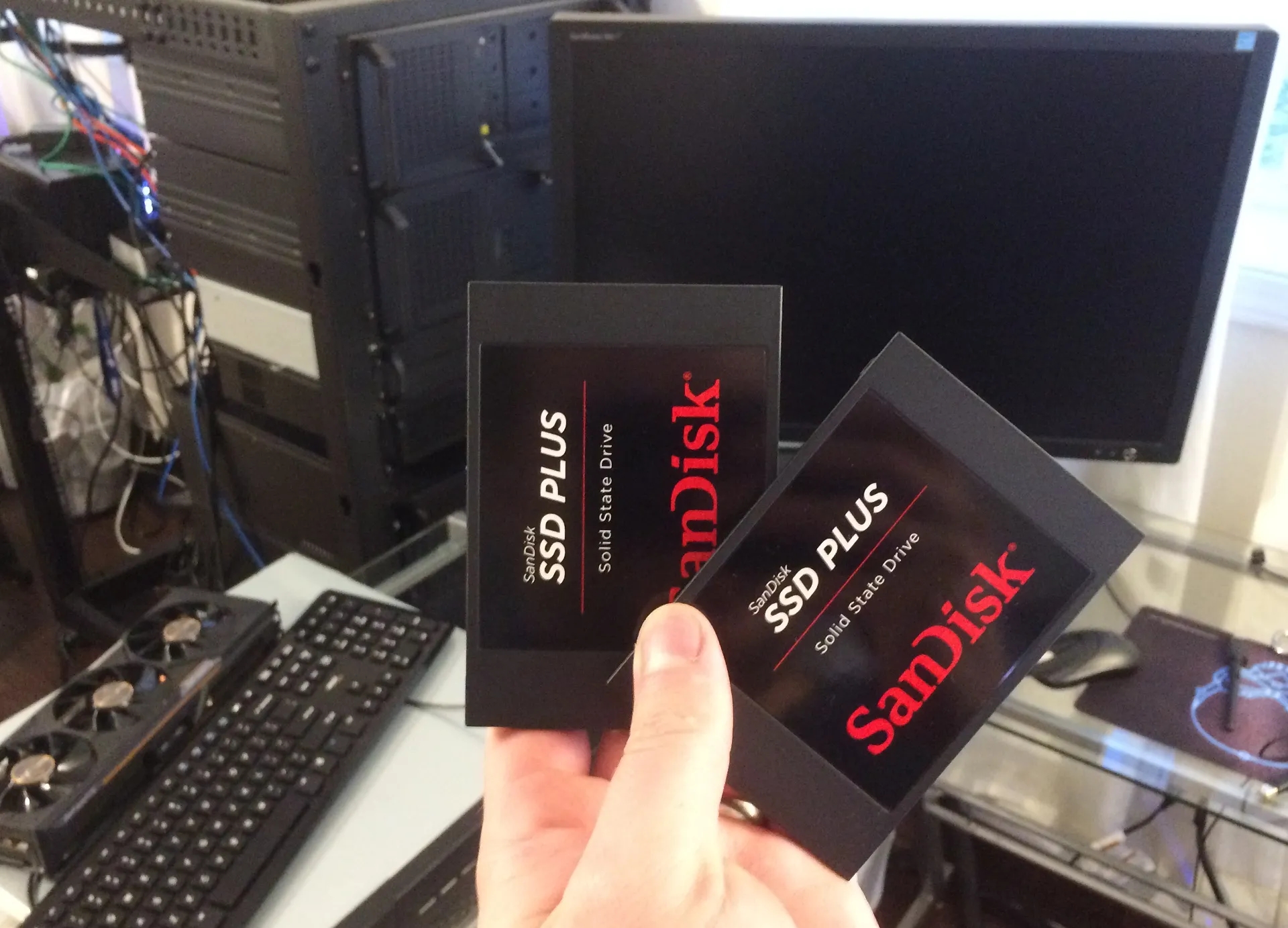
Linux 7.3 Device Mapper Sees Many Fixes, Including Code Cleanups by Claude Opus
Six minor cleanups in the Linux 7.3 Device Mapper pull came from issues Claude Opus 4.6 spotted, spread across dm core, dm-cache, dm-switch, dm-inlinecrypt and dm-vdo. The subsystem gets no new features this cycle, only fixes.
Related stories
- Cowork and chat become one Claude, tasks keep running
- Memory reaches Self-Hosted Sandboxes in Managed Agents
- Four Claude memory tools compared by LoreConvo's builder
- Claude hides a heart-in-hand icon behind codename Arborio
- Claude's web app hides a Voice tab marked Preview
- Claude Design moves into Artifacts, but projects stay behind
Comments
No comments yet. Be the first.
Join the conversation
Sign in to leave a comment. It appears after moderation.